Forecloud Technologies Pvt. Ltd. - Business Central 2025 release wave 1(BC v26) - Allowed lanaguge settings
In this blog post, I will guide you through the process of configuring allowed language settings in your Business Central environment, the new features introduced in Release Wave 1 (BC v26).
Introduction:
In this blog post, we will guide you through the process of configuring allowed language settings in your Business Central environment, the new features introduced in Release Wave 1 (BC v26).
Pre-requisites:
- Business Central Environment
- Reference Documentation: https://learn.microsoft.com/en-us/dynamics365/release-plan/2025wave1/smb/dynamics365-business-central/define-allowed-languages-per-environment
Introduction:
-Until now, when you selected your desired language, you chose from the full list of all languages that the Business Central platform can support, regardless of whether a language app is installed for them. This sometimes led to confusing experiences and made it more difficult to select a language. In most cases, only a few languages are relevant for an environment.
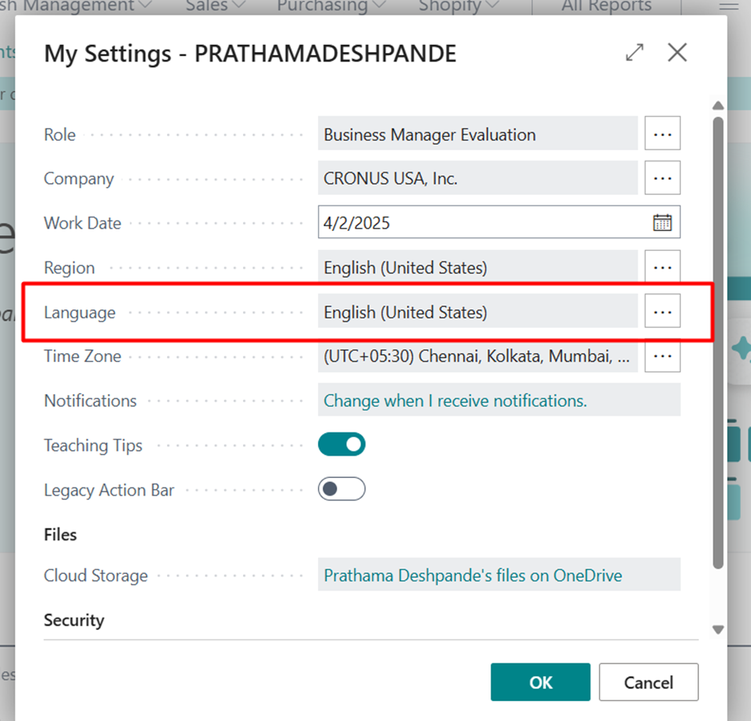
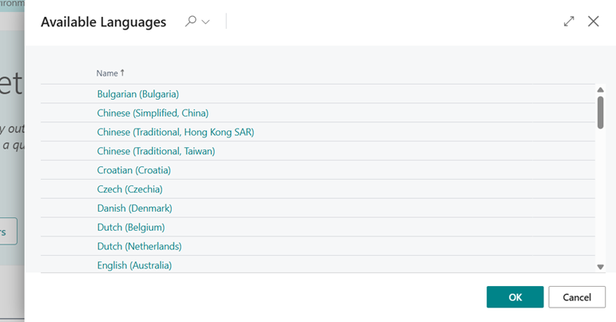
- now use the new Allowed Languages page to define the languages that should show up when people select their language. It shows only the supported languages that makes it easier to select a language you can use, which helps avoid confusion.
- This feature enables administrators to define a specific list of languages that will be available for selection, ensuring that users can only choose from languages that are supported within the current environment.
About allowed languages:
Define a list of allowed languages which are enabled in this environment. If nothing is specified, the user will be able to select from all languages.
Solution:
- Globally search in Business Central to find the Allowed Languages page.
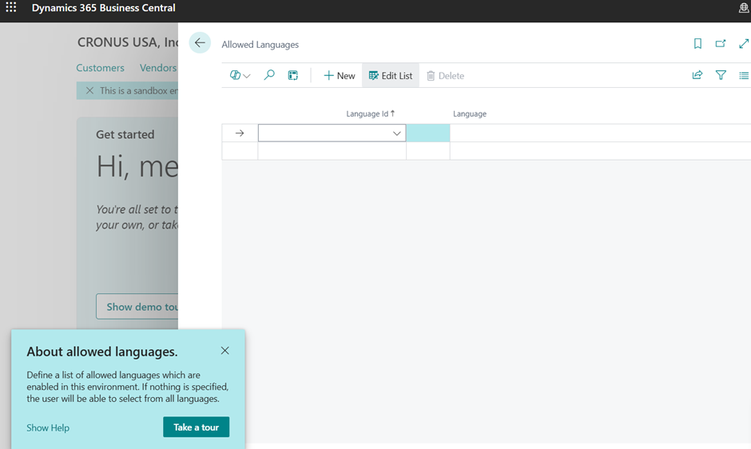
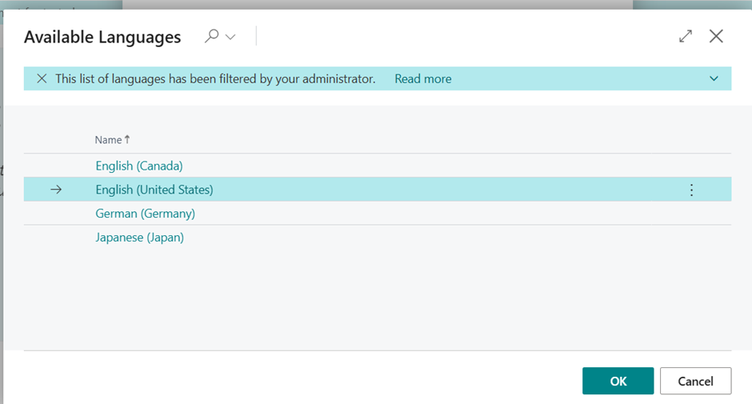
- From the list of available options, choose the languages you want to make available within your environment.
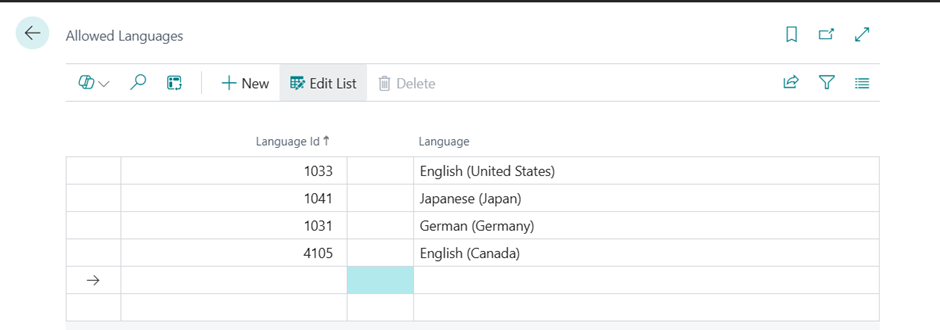
- Once the allowed language is selected, changes are applied to language settings.
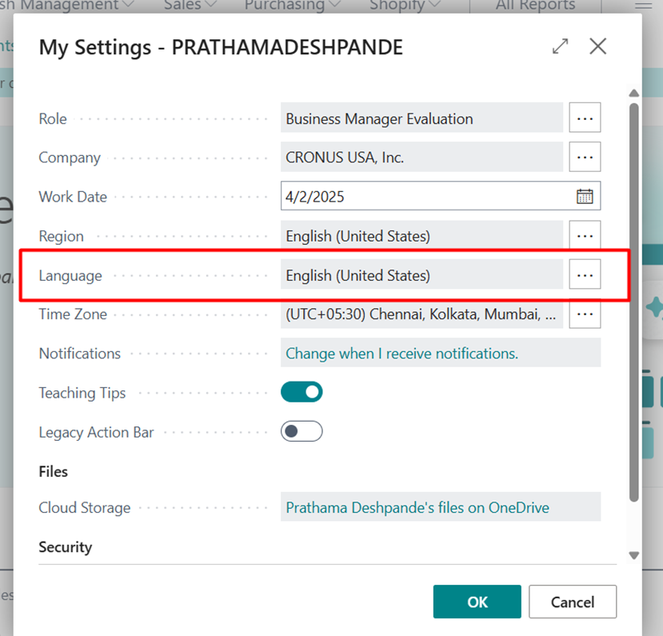
- Result:
Conclusion
The Allowed Languages feature in Business Central 2025 Release Wave 1 (BC v26) significantly improves the language management process. By defining specific languages for each environment, it easier to select a language you can use, which helps avoid confusion.
Prathama Deshpande
Prathama Deshpande is Business Central Consultant working with Forecloud Technologies. She is one of the key responsible person for Business Central Customization Development, Functional Implementation and Support.
No comments yet. Login to start a new discussion Start a new discussion