Forecloud Technologies Pvt. Ltd. - Adjust width of Copilot, help, and page scripting panes-Business Central 2025 wave 2 (BC27)
You want to work optimally with Business Central, especially when you need extra room for information in side panes like Copilot, help, and page scripting. You can now resize these panes, which assist
Business value
You want to work optimally with Business Central, especially when you need extra room for information in side panes like Copilot, help, and page scripting. You can now resize these panes, which assist with tasks and provide guidance, allowing you to easily and clearly view more details whenever necessary.
Feature details
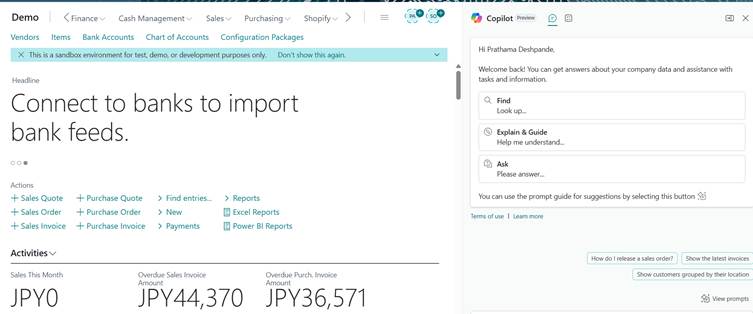
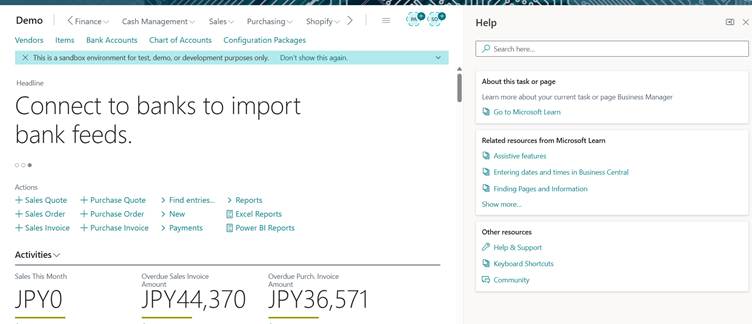
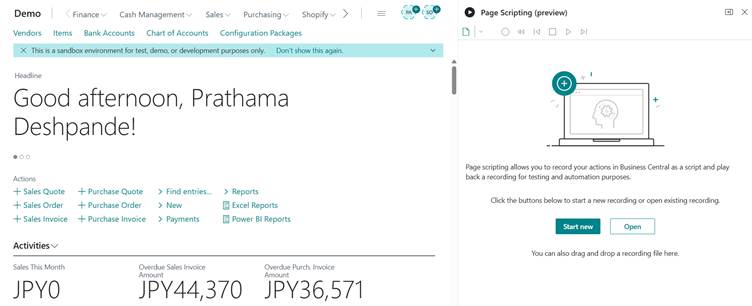
You can resize the Copilot pane, used for chat and agents, the help pane, and the page scripting pane in Business Central by dragging the divider between the main content area. Key capabilities include
Key Capabilities Include:
- Resizable Panes: Users can adjust the pane width by dragging the divider, enabling a more tailored view while keeping the main content area clearly visible.
- Responsive Design: Content within each pane automatically reflows to make full use of the available space.
- Persistent Layout: The browser retains your pane width preferences, similar to other UI adjustments (e.g., resizing FactBoxes), so your layout remains consistent across sessions.
- Quick Reset: Double-clicking the divider instantly resets the pane to its default width for convenience.
Result:
1. With Copilot Pane:
2. With Help Pane:
3. With Page Scripting(Preview) Pane:
Conclusion:
This update enhances user efficiency by offering greater flexibility in how supporting information is displayed, helping you stay focused on the tasks that matter most.
Prathama Deshpande
Prathama Deshpande is Business Central Consultant working with Forecloud Technologies. She is one of the key responsible person for Business Central Customization Development, Functional Implementation and Support.
No comments yet. Login to start a new discussion Start a new discussion