Forecloud Technologies Pvt. Ltd. - Add pictures to item variants to differentiate product options
Managing item variants is now easier with the ability to add pictures to each variant. Images help users quickly identify differences between variants, such as color, size, or style.
Introduction:
Managing item variants is now easier with the ability to add pictures to each variant. Images help users quickly identify differences between variants, such as color, size, or style.
This feature is especially useful when working with large product assortments. By displaying pictures in tile and tall-tile views, users can easily recognize the correct variant, reduce mistakes and improve efficiency in sales, manufacturing, and fulfilment processes.
You can add, update, or remove pictures directly from the Item Variant Card. The Picture FactBox allows you to:
- Import an image from your device.
- Take a new picture using your camera.
- Export an existing picture.
- Delete a picture when it is no longer needed
How to Add a Picture to an Item Variant
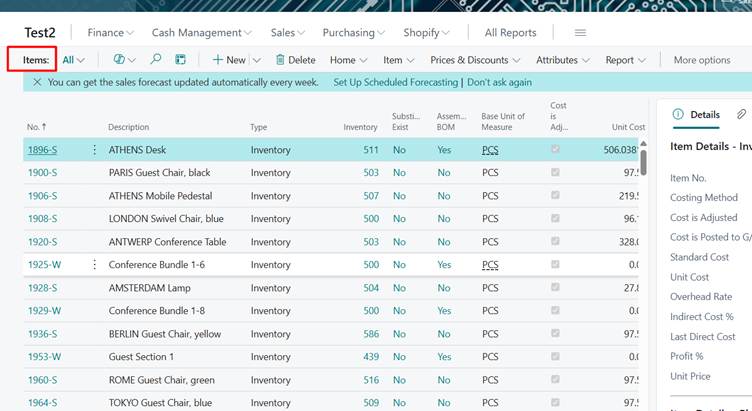
- Open the Item Card.
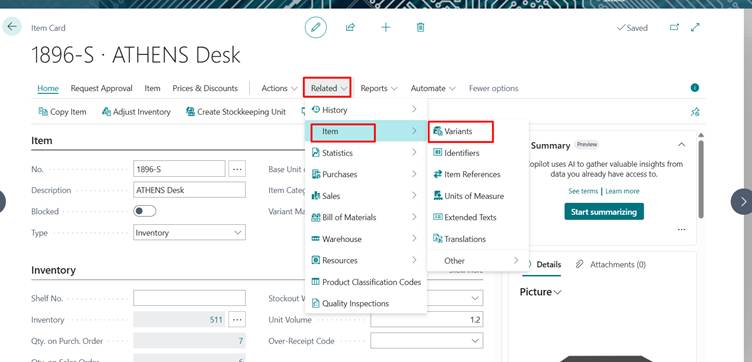
- Select Variants.
- Choose the item variant you want to update.
- On the Item Variant Card, go to the Picture FactBox.
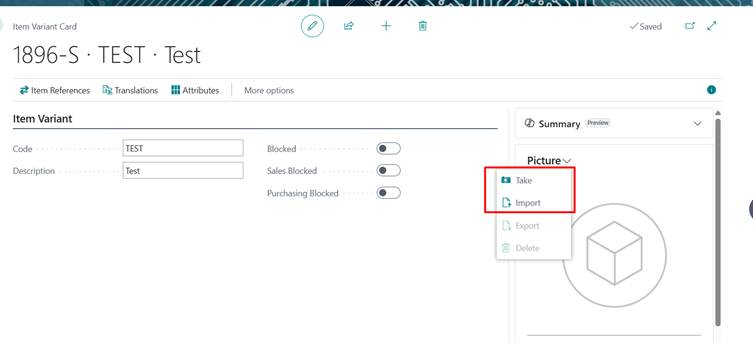
- Use one of the available actions:
- Import to upload an image.
- Take to capture a photo.
- Export to save the current image.
- Delete to remove the image.
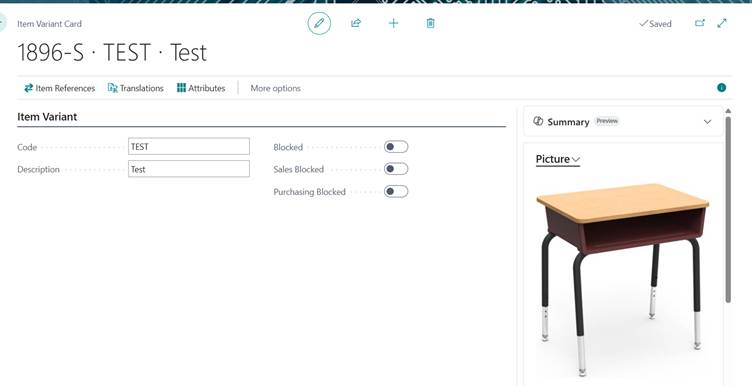
Result:
Conclusion:
You can now add pictures to item variants to make them easier to identify. Variant images help users quickly distinguish between options such as colors, sizes, or styles, reducing errors and improving efficiency. Using the Picture FactBox on the Item Variant Card, you can import, capture, export, or delete images for each variant.
Adding pictures to item variants helps users identify products faster and improves accuracy across business operations.
Prathama Deshpande
Prathama Deshpande is Business Central Consultant working with Forecloud Technologies. She is one of the key responsible person for Business Central Customization Development, Functional Implementation and Support.
No comments yet. Login to start a new discussion Start a new discussion